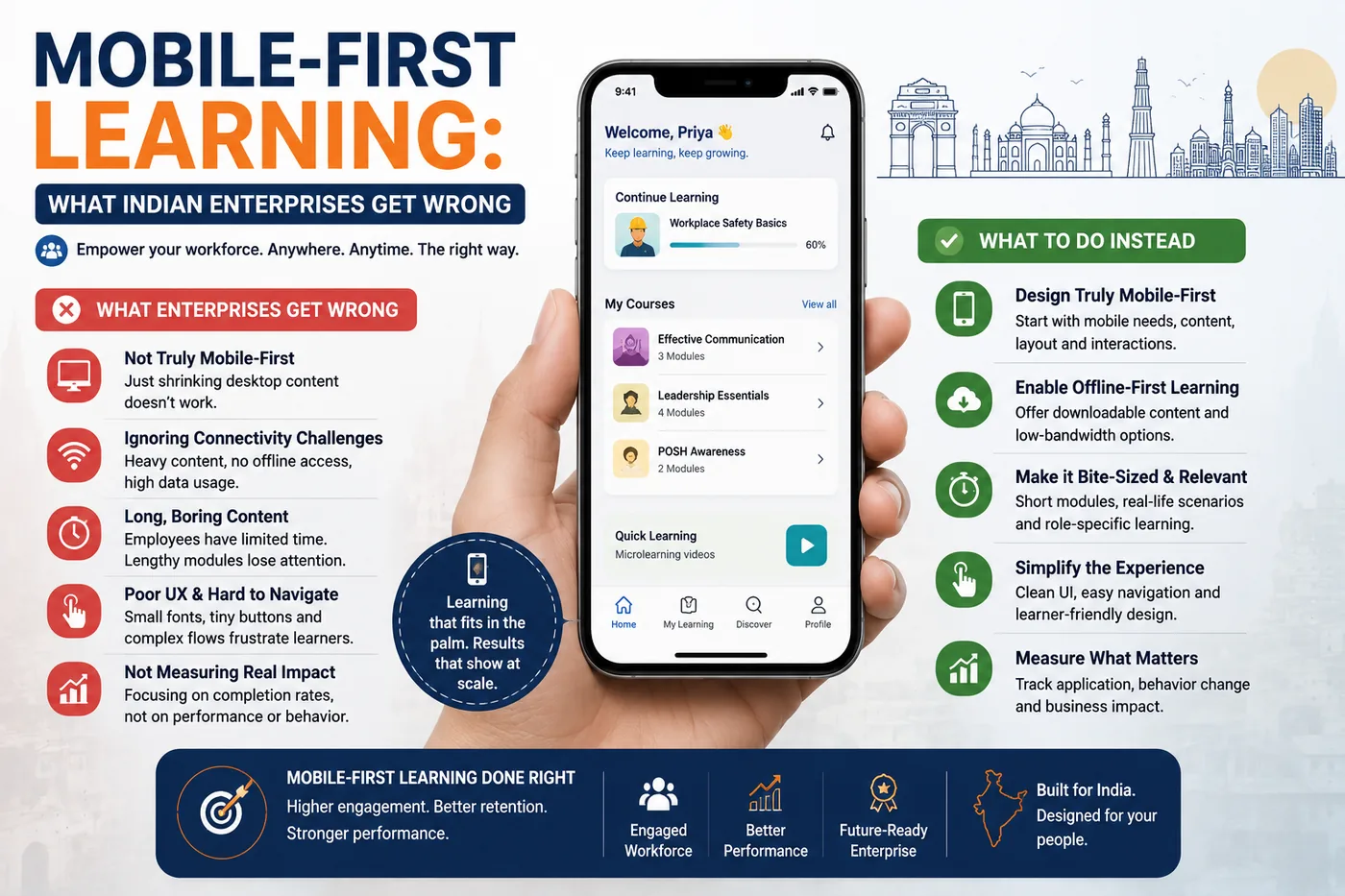
Mobile-First Learning: What Indian Enterprises Get Wrong
 Serve Innovate
6 min read
Serve Innovate
6 min read
For a large share of the Indian workforce — field sales, retail, logistics, manufacturing, frontline healthcare — the phone is not the secondary learning device. It is the only one. Training designed on a desktop for a desktop reaches those employees as something they cannot practically complete.
The device reality, stated plainly
Design decisions should start from what is actually in people’s hands, not from the machine the course was built on.
- Android, mid-range, older. Devices two to four years old with modest processors are the norm, not the exception. Heavy JavaScript and large media perform very differently there.
- Data that is cheap but inconsistent. Mobile data is inexpensive in India; reliable coverage inside a warehouse, on a factory floor, in a basement retail unit or across rural routes is not.
- Shared and constrained storage. A 200MB course download competes with photographs and messaging apps on a device that is frequently near capacity.
- Interrupted sessions. Learning happens in ten-minute gaps between tasks, not in a reserved hour.
Each of these has a direct design consequence, and none of them is solved by making the desktop course responsive.
Offline is a requirement, not a feature
This is the single decision that most affects whether frontline training completes. If a module needs live connectivity for its entire duration, completion rates will track network quality rather than learner intent.
What working offline actually requires:
- Content downloadable in advance, ideally while the learner is on office or home Wi-Fi.
- Progress stored locally and synchronised when connectivity returns — which rules out SCORM as the tracking standard, since it needs a live LMS session. xAPI with local queuing is the workable route.
- Modules packaged small enough to download over a patchy connection: target under 20MB per module, which forces genuine discipline about video.
- Honest state in the interface. A learner who completes a module offline needs to see that it is recorded and pending sync, not an ambiguous spinner.
Design consequences of a six-inch screen
Reworking for mobile is not resizing. The changes that matter:
- Video gets shorter and captioned. Assume muted playback — on a shop floor, in shared accommodation, on public transport. Captions are functional infrastructure here, not an accessibility extra.
- Text density drops sharply. A paragraph that reads comfortably at 1400px becomes a wall at 390px. Rewrite rather than reflow.
- Touch targets over precision. No hover states, no small drag targets, no interactions requiring two simultaneous points of contact.
- Portrait orientation by default. Forcing landscape is a completion tax and frequently a barrier to one-handed use.
- Resume must be exact. Return the learner to where they stopped, including mid-video position. Restarting a module after an interruption is the most common reason a learner does not return to it.
Language is a completion issue, not a courtesy
English-only training for a frontline workforce produces a predictable pattern: high completion among supervisors, low comprehension below that, and assessment scores that measure English reading ability rather than job knowledge.
A practical approach:
- Identify the two or three languages that cover the majority of target roles rather than attempting comprehensive coverage immediately.
- Localise the interface, not only the narration. A Hindi voiceover over English on-screen text and English buttons is a half measure that helps less than expected.
- Have a native speaker from the same job function review, not only a translator. Workplace terminology and the register colleagues actually use rarely survive a general translation.
- Expect text expansion in layout — Devanagari and several Indic scripts need more vertical space than Latin text at equivalent legibility.
What this means for platform selection
Several of the above are procurement criteria rather than design choices, and they are worth testing before signing:
- Does the mobile app work genuinely offline, including assessments — verified on a real device in airplane mode, not from a feature list?
- Does it support xAPI with reliable queued sync, and what happens to a statement queued for a week?
- Can content be assigned to a role or location without an administrator touching each user?
- Does login work for employees without a corporate email address? Frontline staff frequently have none, and phone-number or employee-ID authentication is the difference between adoption and a stalled rollout.
That last point derails more frontline rollouts in India than any content problem.
The short version
Design for a three-year-old Android phone on an unreliable connection, in the learner’s language, in modules small enough to download and short enough to finish between tasks. Make offline work properly and make resume exact.
Then verify the login path for someone without a company email address — because a course nobody can sign into has a completion rate of zero regardless of how well it was designed.
Serve Innovate
We design, build, market and scale digital experiences — e-learning, websites, campaigns and custom software — for organizations that want one accountable partner rather than four.
Work with usFrequently asked
What is mobile-first learning?
Can SCORM courses work offline on mobile?
How large should a mobile learning module be?
Should corporate training in India be delivered in regional languages?
What is the most common reason mobile learning rollouts fail?
AI in Corporate Training: Practical Uses That Actually Work
Past the demos, a short list of AI applications in L&D genuinely earn their place — and a shorter list quietly create risk.
Read article
Microlearning That Works: Designing Short Courses People Finish
Cutting a two-hour course into twelve ten-minute videos is not microlearning. This is what actually makes short-form corporate training stick.
Read article